

Developers
From credential to first request, step by step
Choose live or sandbox, issue a scoped credential, run a generated operation, and trace the request in Integration Hub.
- 01
Choose a sandbox or live environment
- 02
Issue only the scopes your workflow needs
- 03
Run the generated click-to-dial example
- 04
Verify signed events and inspect request IDs
curl -X POST "$CALLFORA_API/api/v1/click2dial" \
  -H "Authorization: Bearer $CALLFORA_API_KEY" \
  -H "X-Organization-Id: $ORGANIZATION_ID" \
  -H "X-User-Email: agent@example.com" \
  -H "Idempotency-Key: call_crm_1042" \
  -H "Content-Type: application/json" \
-d '{"destination":"+1555010188"}'voice.click2dial · success 200Developer resources
OpenAPI and reference
22 catalog-backed operations
TypeScript and Python SDKs
Generated operation maps and retry behavior
Changelog and deprecation
Contract changes and migration guidance
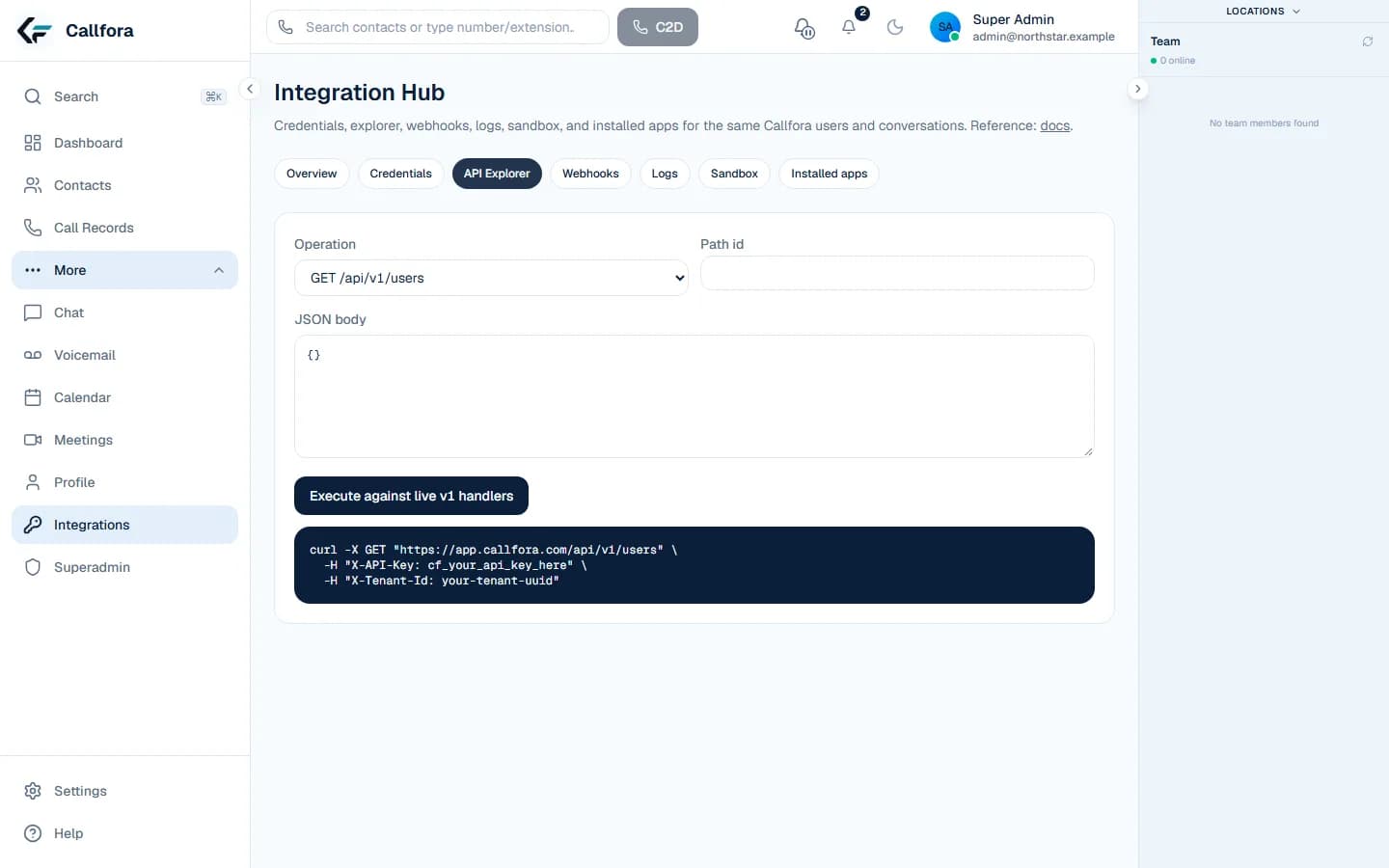
API playground
Execute against controlled credentials
Webhook verification
Signature checks, retries, replay, and dead state
Runnable recipes
Private-app flows with failure behavior
Verified contract
Run the catalog, not a guessed endpoint.
The explorer, generated examples, and OpenAPI reference share the same operation list. Sandbox credentials cannot reach live organization data or public calling providers.
Choose your next step