
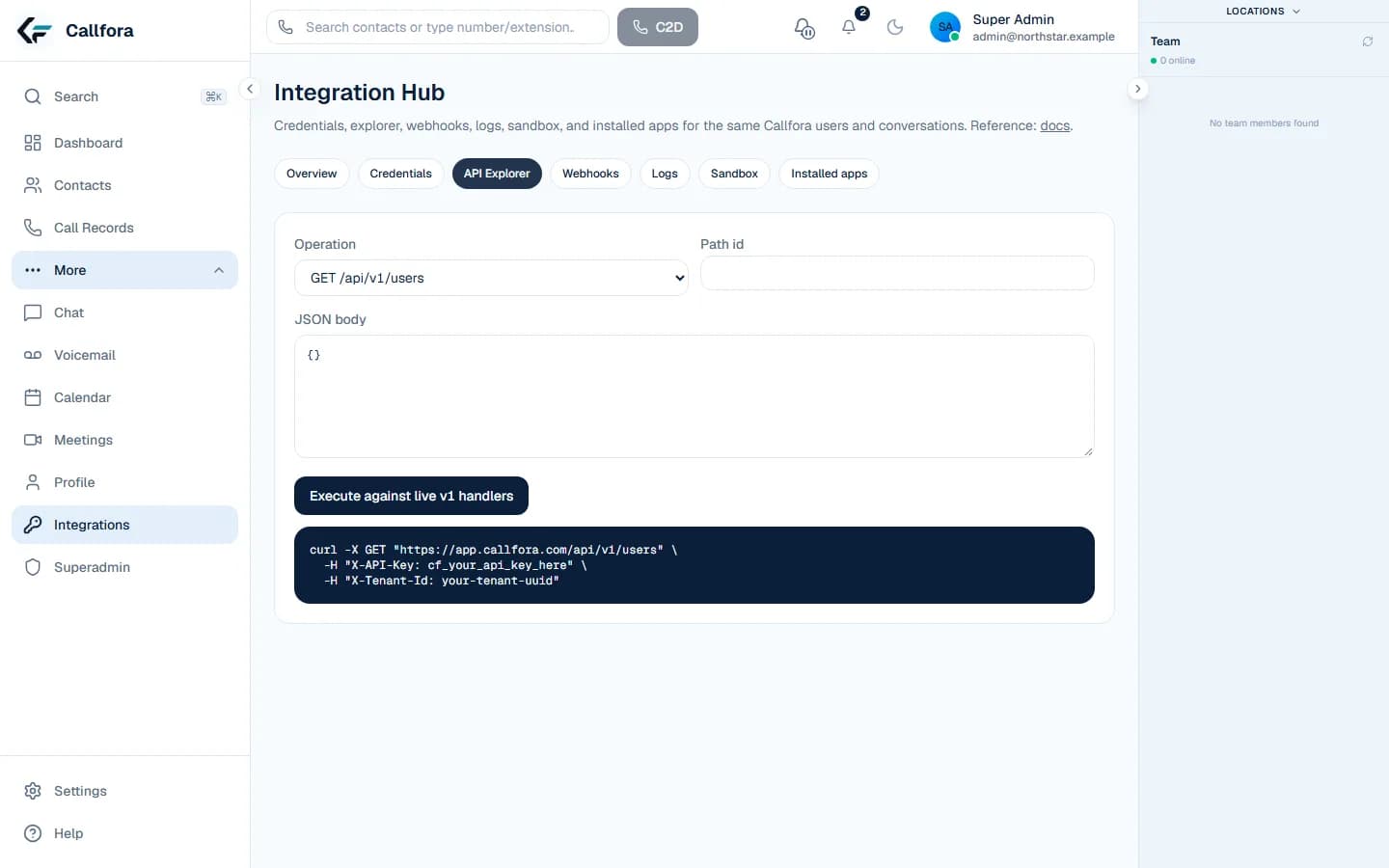
Receptionist
Main number or after-hours route
Answers approved questions, captures intent, and transfers.
AI agents
Put an AI agent on a number, an IVR option, a time condition, or a queue. It answers from your knowledge and transfers to your team with the conversation kept in the same workspace.
Direct answer
They answer inbound calls from knowledge you approve, qualify and route, book a configured appointment, invoke a tenant-owned HTTPS action you define, and hand off to a person. They do not run outbound campaigns or act as a general autonomous employee. Call Centers or Enterprise, the product module, usage limits, and the speech gateway still apply.
The job
Each tab is a boundary you can verify in the product before a live number is attached.
A generic bot cannot be trusted on the main business number.
Pick a receptionist, sales, support, or custom job. Templates are starters, not a general skills framework.
Available on Call Centers and Enterprise. AI usage and deployment configuration apply.
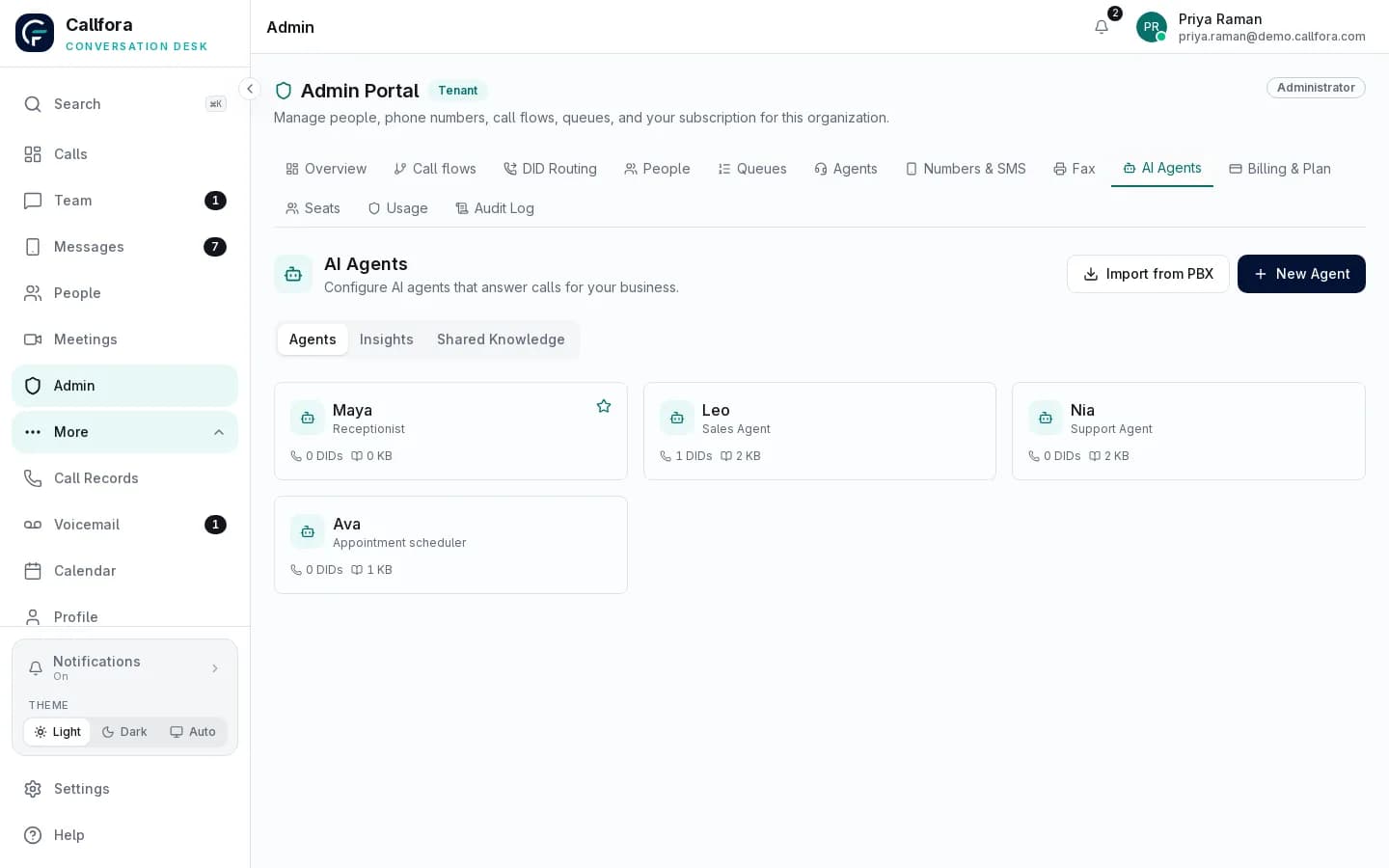
AI agent setup
The caller needs a booking or a system action, not another menu.
Book a calendar slot when locations and a booking user are set, or invoke a tenant-owned HTTPS action you approve.
Available on Call Centers and Enterprise. AI usage and deployment configuration apply.
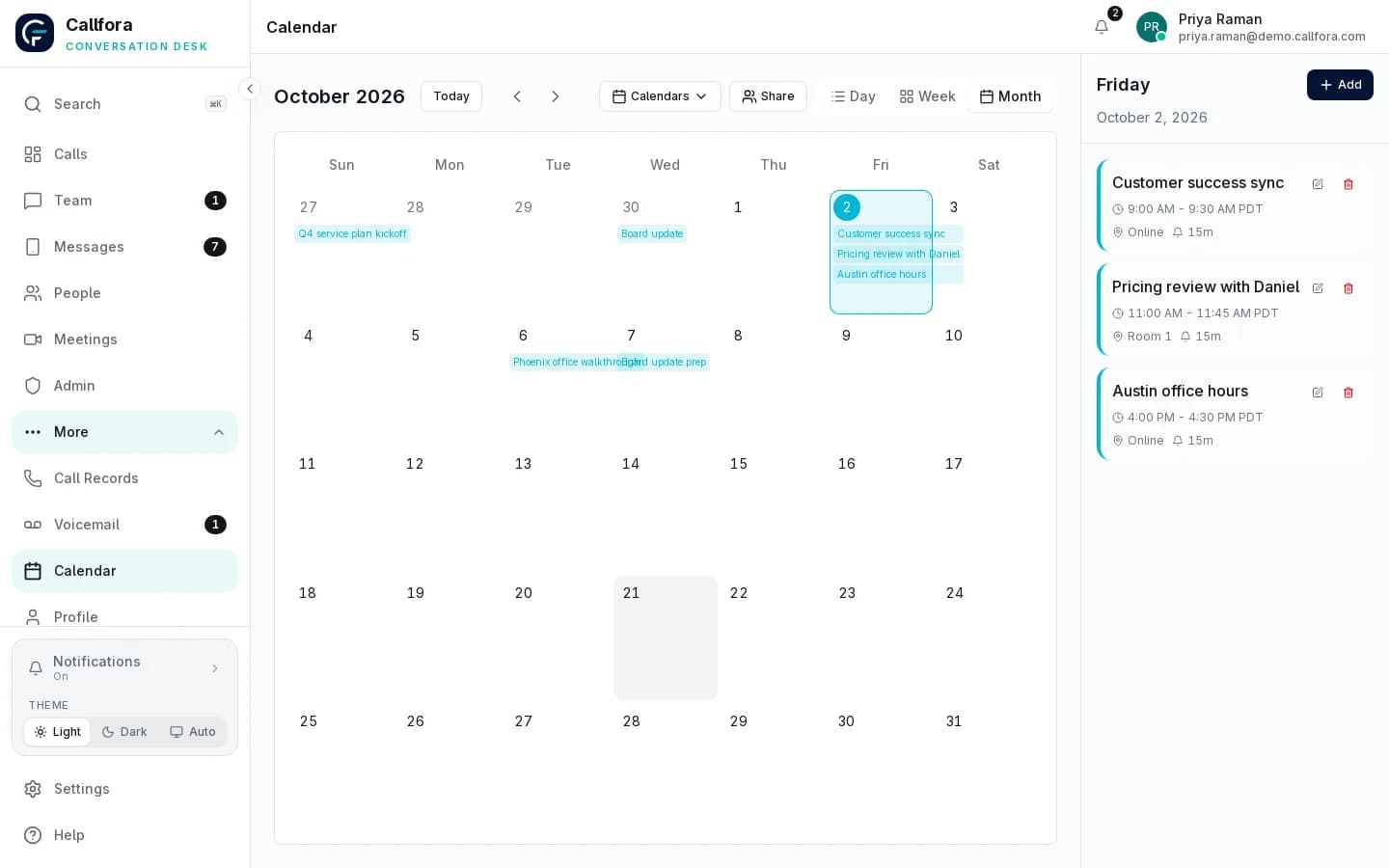
Team calendar booking
Nobody can see what the agent said, booked, or passed to a person.
Review transcripts, action results, handoffs, and minutes used against the limits your administrator set.
Available on Call Centers and Enterprise. AI usage and deployment configuration apply.
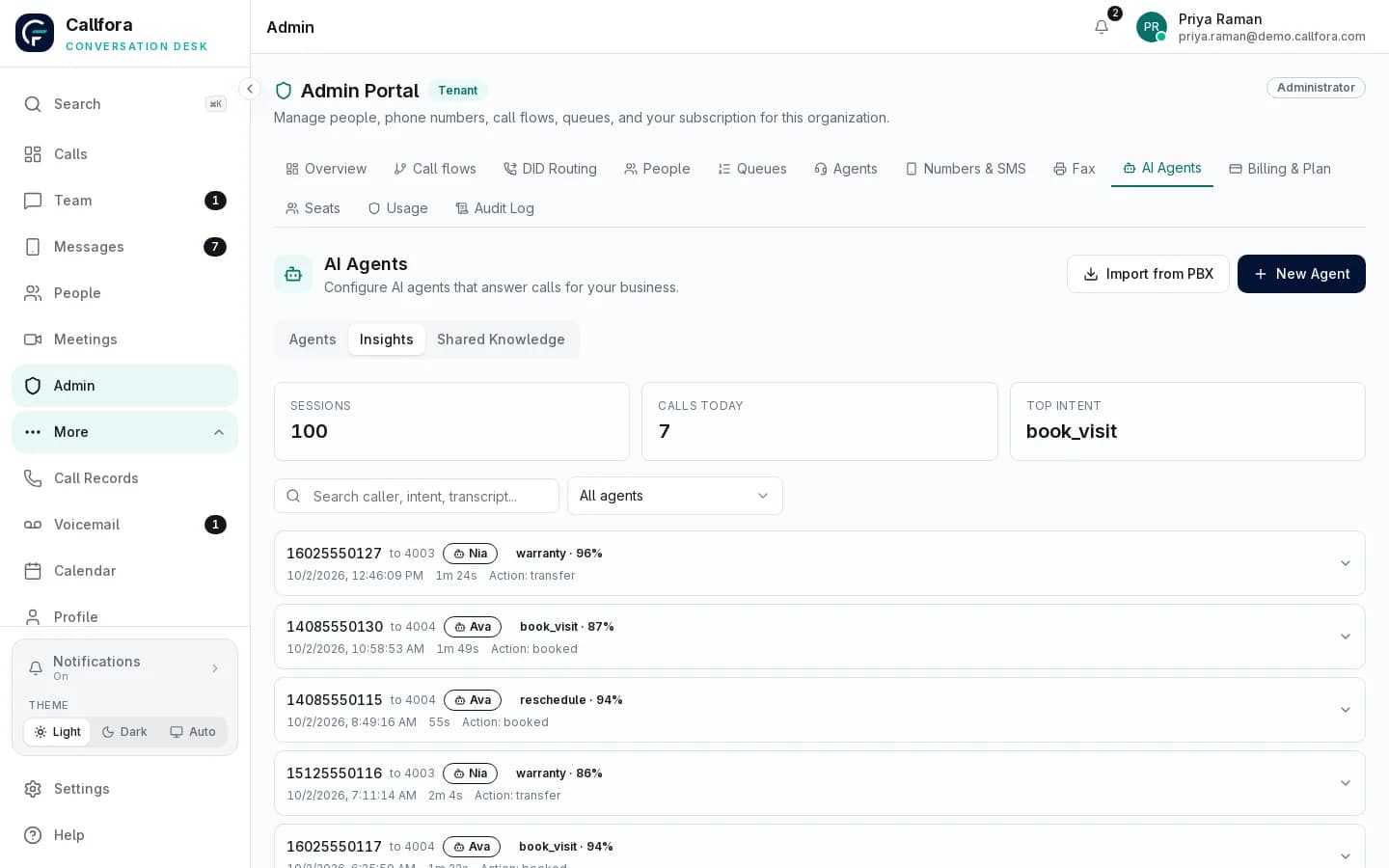
Desktop capture
Desktop · human handoff with conversation context
Insights and usage
Unclear job · 1 of 3
The operating model
AI is not a separate bot project. It is a configured participant in the same call flow as your team, with a defined job, explicit boundaries, and a person ready to take over.
Choose the job and the conversations it should handle.
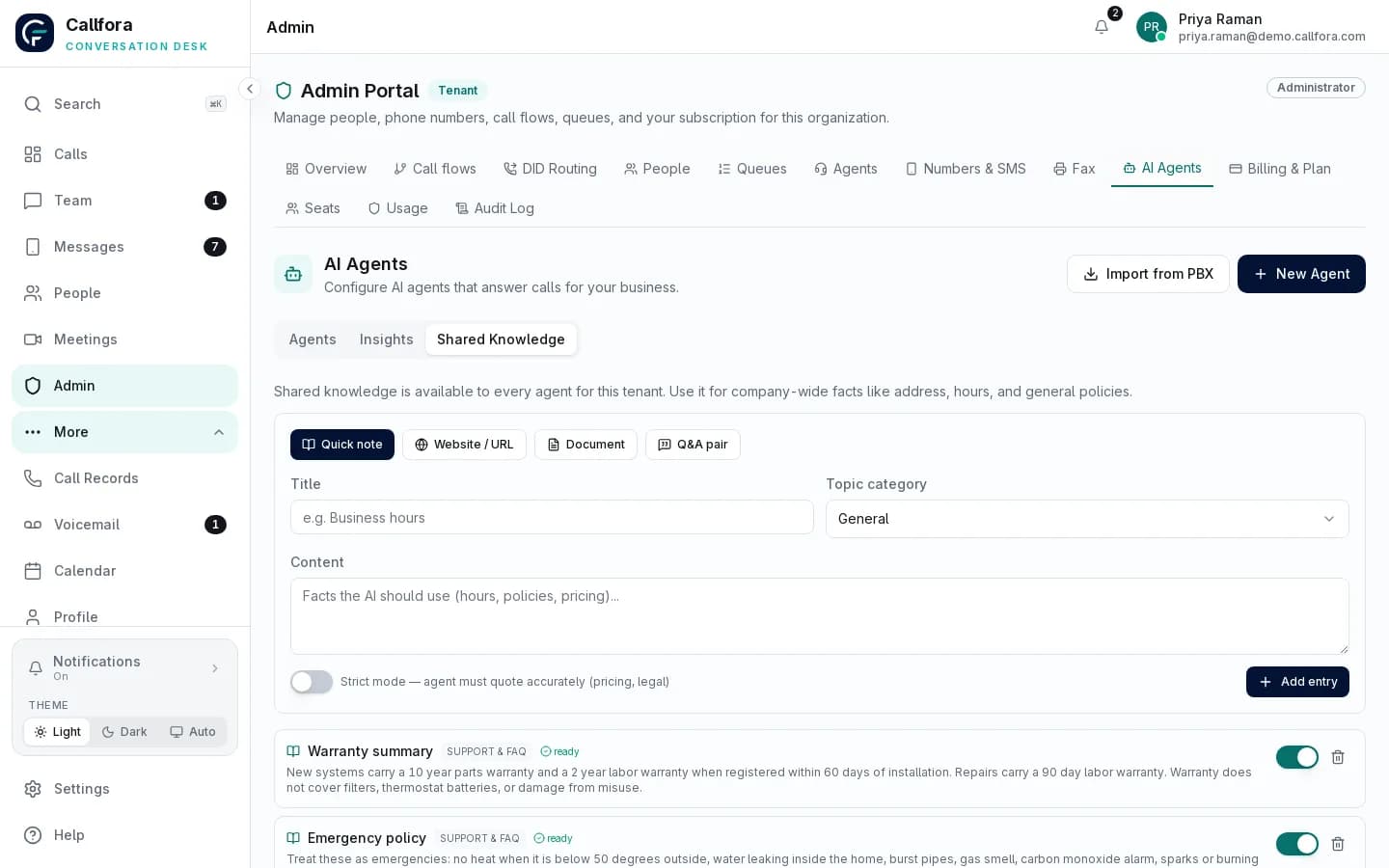
Approve the facts it may use in an answer.
Put it on a number, menu option, schedule, or queue.
Configure booking or a bounded HTTPS action.
Name the person or queue that takes over.
Review the conversation, task result, and usage.
Role-based setup
Pick a role starter, write instructions, and keep a human fallback. Custom roles remain supported.
Available on Call Centers and Enterprise. Availability depends on plan, modules, permissions, and deployment configuration.
Knowledge you control
Keep shared or per-agent facts, then test in chat before a live call. AI responses can be wrong; review what you publish.
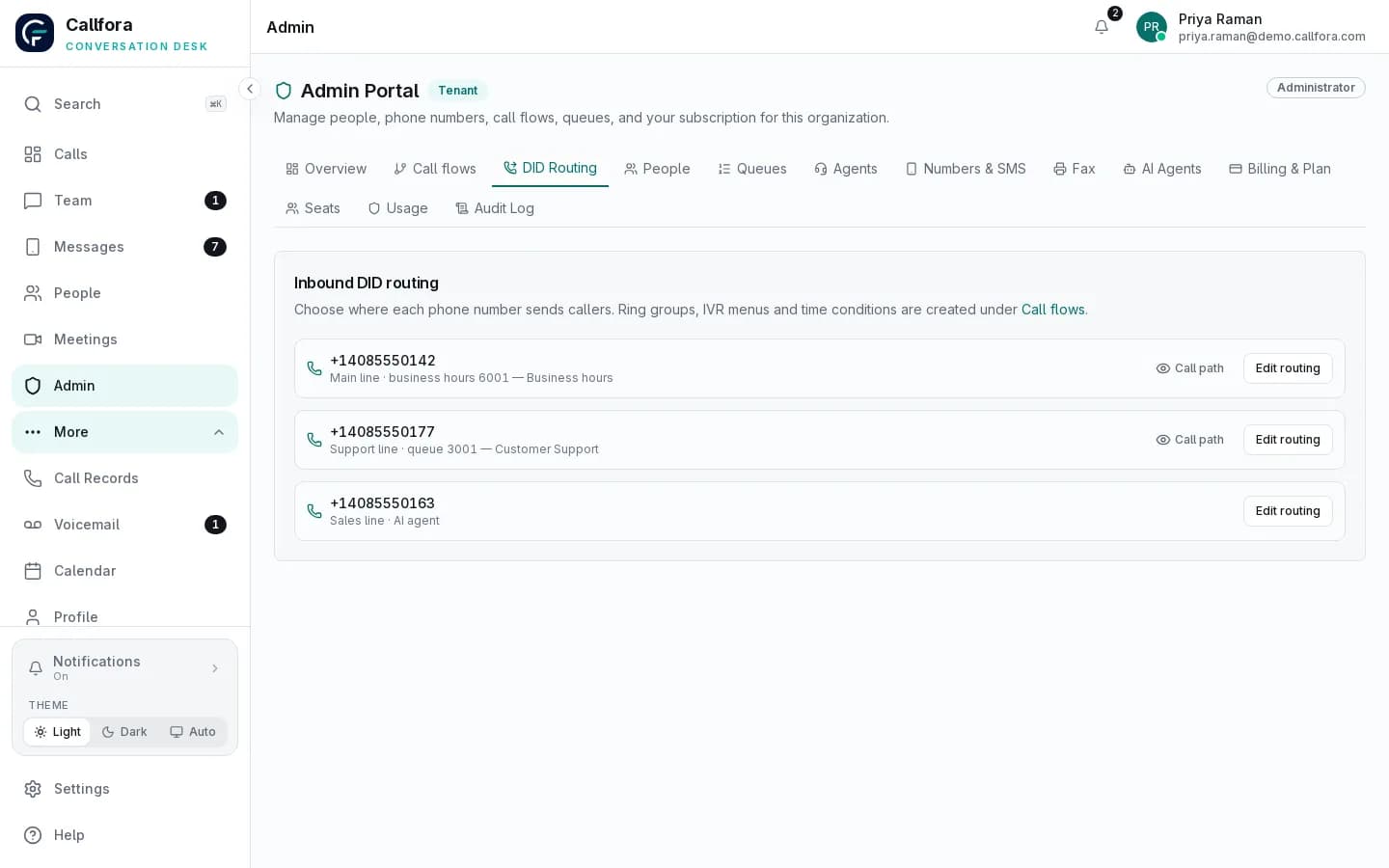
Placement
Direct number, IVR option, time condition, or queue seat. Routing stays in one admin portal.
Queue participation requires the Call Centers plan and the relevant contact-center configuration.
Individual placement
Give the agent its own internal number and route a public number or call-flow branch to it.
Queue placement
Add it to an eligible queue so AI and people can answer within the same service operation.
Configured tasks
Calendar booking needs a calendar owner, locations, and available slots. Custom actions are tenant-owned HTTPS definitions — not named CRM connectors.
Governance
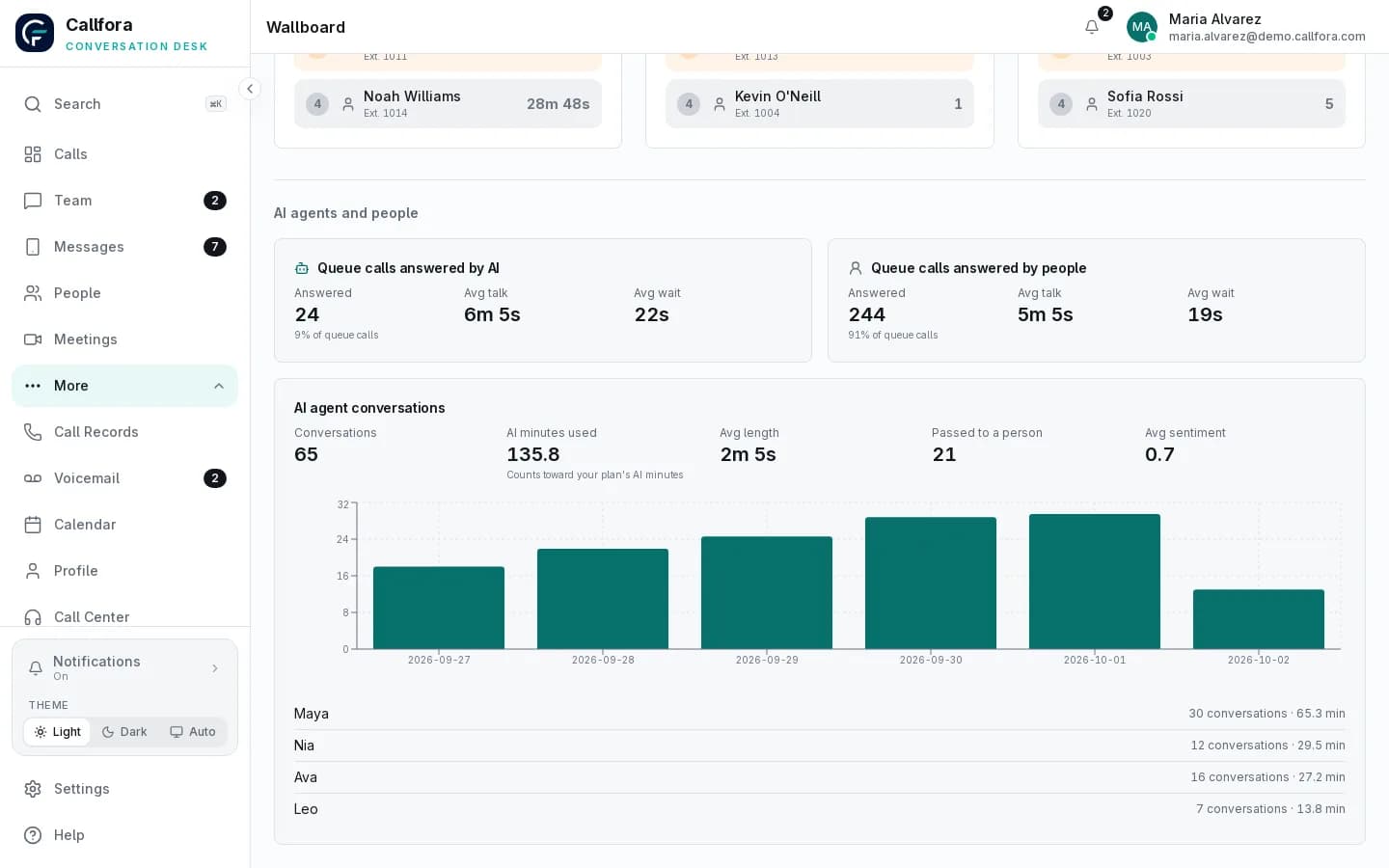
Review sessions, transcripts, action results, handoffs, and AI-versus-human analytics. Administrators set usage limits.
Learn more →Human and AI
Queue share, completed tasks, failed actions, and minutes used — labeled with the configuration they depend on.
Built around real work
Each blueprint narrows what the agent should say and do. Your team chooses the route in, the task boundary, and the destination when judgment belongs with a person.
Main number or after-hours route
Answers approved questions, captures intent, and transfers.
Sales number, menu option, or queue
Collects configured details and routes an inbound prospect.
Support number or queue
Gathers context, answers from knowledge, and hands off.
Booking line or routed call
Checks the configured calendar and books a confirmed slot.
Usage limits
Usage limits live with the workspace. Analytics show minutes used against the plan, completed tasks, failed actions, and handoffs to a person. Public pages being visible does not turn AI on for every workspace.
Desktop capture
Desktop · AI usage limits
Desktop capture
Desktop · human handoff with conversation context
Reserved captures for usage limits and the human-handoff session. IMAGE BRIEF: AI-01 remains the editorial companion when supplied.
What makes it different
The same numbers, menus, schedules, queues, handoff destinations, conversations, and analytics support both kinds of agent. A caller does not have to enter a separate AI channel, and a supervisor does not have to reconstruct the result in another reporting system.
AI stays bounded
It answers from approved knowledge and performs only the task you configured.
People keep judgment
A fallback extension or queue remains part of every launch review.
Designed boundary
Callfora agents handle inbound voice work within the instructions, knowledge, routes, and actions you approve. They are not general-purpose autonomous workers.
Six proofs
Proof
Start from receptionist, sales, support, marketing, automotive, or a custom job. Templates are starters, not a general skills framework.
Proof
Agents answer from knowledge you write. Test in chat before the agent takes a live call.
Proof
Attach the agent to a DID, internal number, IVR option, or time condition — the same routing surface as people.
Proof
Run one agent on a line, or seat it in a queue next to human agents with concurrency you set.
Proof
Book a calendar appointment when locations and a booking user are set, or invoke a tenant-owned HTTPS action you approve.
Proof
Inspect sessions, transcripts, handoffs, action results, and AI-versus-human reporting in the same workspace.
Caller asks for an appointment
Agent collects name, contact details, time, and location
Agent reads them back and books the team calendar
Operational boundary: Booking needs a calendar owner, configured locations, and available slots. Incomplete details are never booked.
Administrator defines a tenant-owned HTTPS action
Action is tested, then bound to an agent
Live invoke needs the matching gateway contract
Operational boundary: No native CRM connectors. Destructive methods always require confirmation. Live in-call invoke is unverified until the external gateway matches this contract.
AI responses can be wrong. Review the instructions and knowledge you provide, and tell callers when they are speaking with an automated assistant where the law requires it. See the AI agents policy and calling compliance notes. AI agents are available on the Call Centers and Enterprise plans. Availability depends on plan, modules, permissions, and deployment configuration.
Questions
They can answer inbound calls, qualify and route, use knowledge you approve, book a configured appointment, invoke a tenant-owned HTTPS action you define, and hand off to a person. They do not run outbound campaigns or act as a general autonomous employee.
Yes. You place an agent on a number, IVR option, time condition, or queue. Conversations and analytics stay in the same workspace. Live voice also needs the speech gateway deployed for that workspace.
Call Centers and Enterprise. The product module, user permissions, usage limits, and deployment configuration still apply. Public pages being visible does not turn AI on for every workspace.
Administrators set usage limits for the workspace. Analytics show minutes used against the plan, completed tasks, failed actions, and handoffs to a person.
AI agents rollout
Let’s find the right way to connect your business.