
Capability 1
Hosted rooms in the workspace
Meetings
Browser rooms and guest join in the same workspace as the phone system.
Direct answer
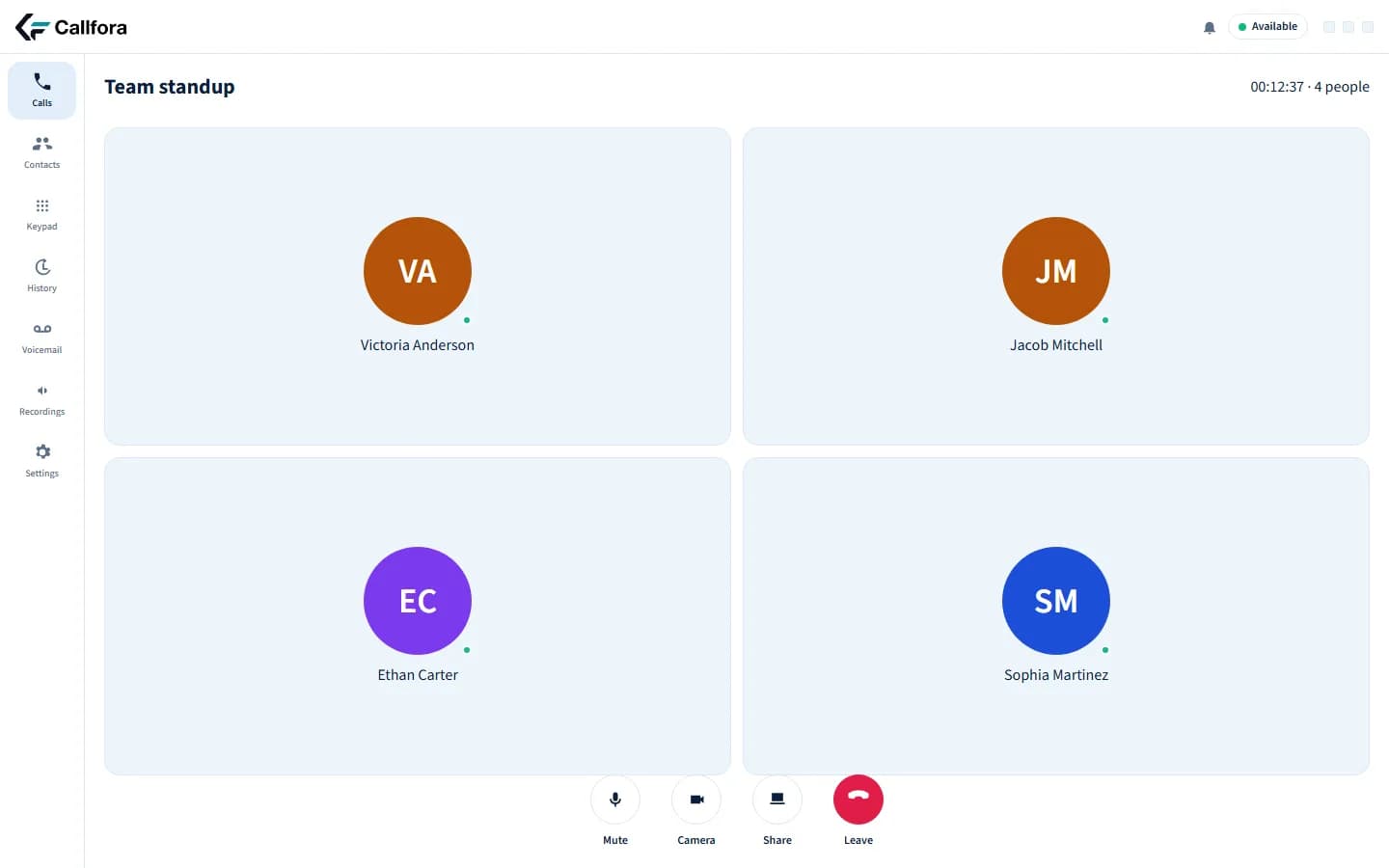
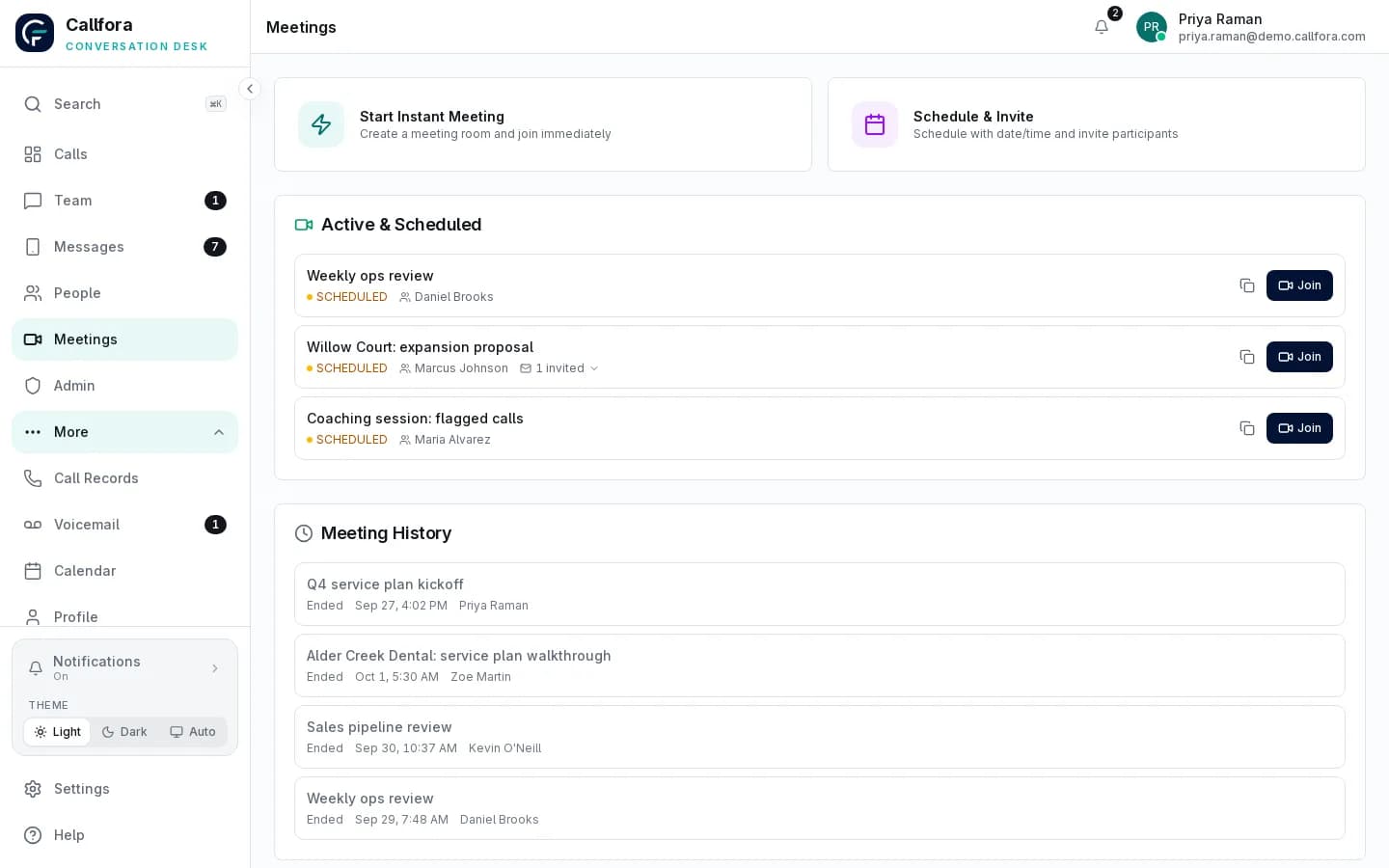
Callfora meetings are hosted rooms in the same workspace as the phone system. Licensed seats schedule and join from desktop or mobile. Guests join from a link. This page does not claim webinars, large-audience broadcasting, or a standalone video-conference marketplace.
Inside the workspace
The product capture below comes from Callfora. The capabilities beside it describe the implemented workflow, with availability qualified where plan or deployment requirements apply.
Hosted rooms in the workspace
Guest join from a link
Same users and organization as the phone desk
The challenge
Each state shows a common operations problem and the Callfora surface that addresses it.
The team leaves the phone system to start a meeting in a separate product.
Licensed seats schedule and host rooms with the same identity used for calling.
Mobile capture
Mobile · join from the same workspace
Meetings in the workspace
Customers and partners need a link, not another account.
Guests join from the link. The room remains owned by the workspace that created it.
Hosted meeting room
Buyers assume every meeting product includes broadcasting and webinars.
Callfora hosts team rooms and guest join next to the phone desk. It is not presented as a webinar or large-audience broadcast product.
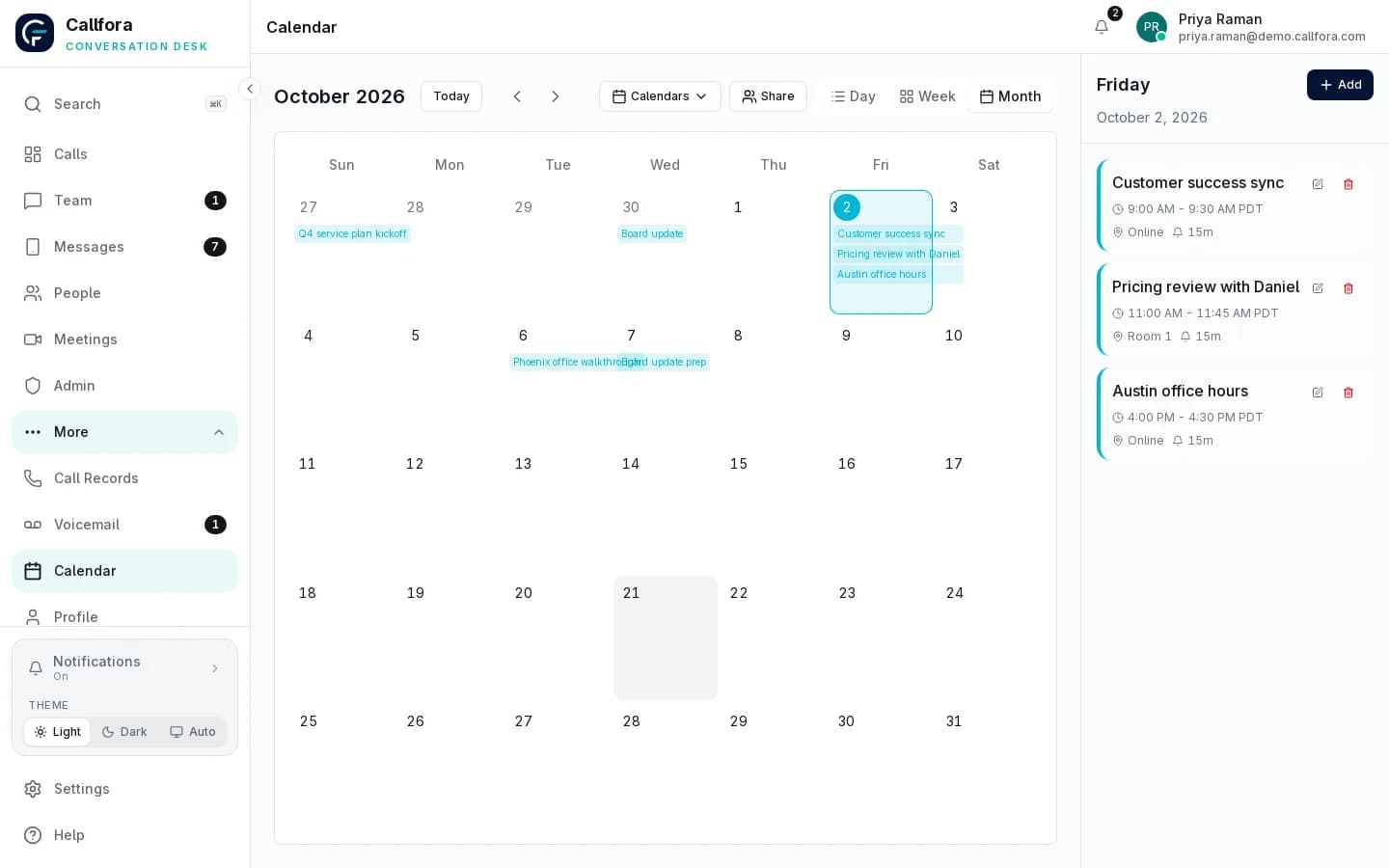
Team calendar in the workspace
Another login · 1 of 3
Workflow
A host schedules or starts a room in the workspace
The team calendar keeps the appointment with the organization
Guests join from the link on a browser or the mobile app
Operational boundary: Meetings share users and organization with the phone desk. Unsupported: webinars, large-audience broadcasting, and a standalone meeting marketplace.
On every device
Callfora desktop and mobile apps are the desk. The web application administers the organization, roles, numbers, routing, and enabled product modules.
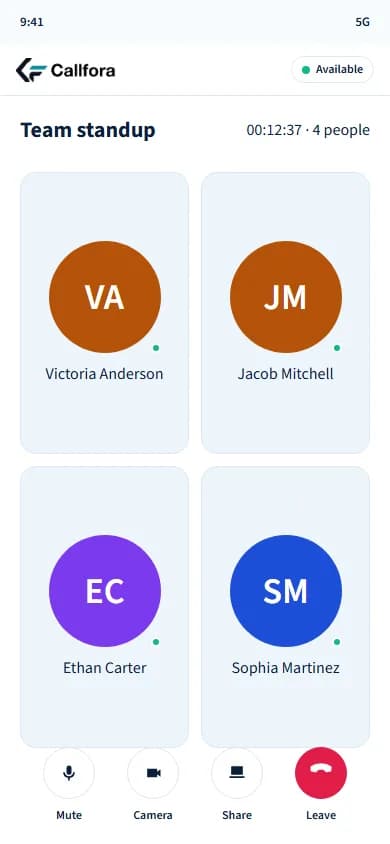
Scheduled rooms, the team calendar, and mobile join use the same organization as the phone desk.
Next-phase captures
These frames reserve the next-phase product captures. They are not generated interfaces.
Desktop capture
Desktop · hosted meeting room
Mobile capture
Mobile · join from the same workspace
Reserved host-room and mobile-join captures.
Questions
Yes. Hosts share a guest link. The room stays with the organization that created it.
Yes. Licensed seats join from desktop or mobile with the same identity used for calling and messaging.
Callfora does not present webinars, large-audience broadcasting, or a standalone video-conference marketplace. The product hosts team rooms and guest join next to the phone desk.
Your next great conversation starts here
Let’s find the right way to connect your business.