
Analytics
Live view
Active and queued calls, available agents, service level, and abandonment, updated as work arrives.
Analytics
Watch the live wallboard, then move into trends, quality review, and conversation insight. People and AI agents are measured in the same reports.
Direct answer
Configured contact-center deployments support a live wallboard, queue and agent performance, traffic and trends, quality scoring, conversation insight, voicemail and callback follow-up, and scheduled reports. Quality and insight depend on recording and enabled services. Call Centers plan and deployment configuration apply.
Choose a view
Each state is a real analytics surface. Availability depends on plan, modules, recording, and deployment configuration.
You need to know who is waiting right now.
The wallboard shows each queue's service level, answered and abandoned calls, and agent state.
Configured contact-center deployments only. Availability depends on plan, modules, permissions, and deployment configuration.
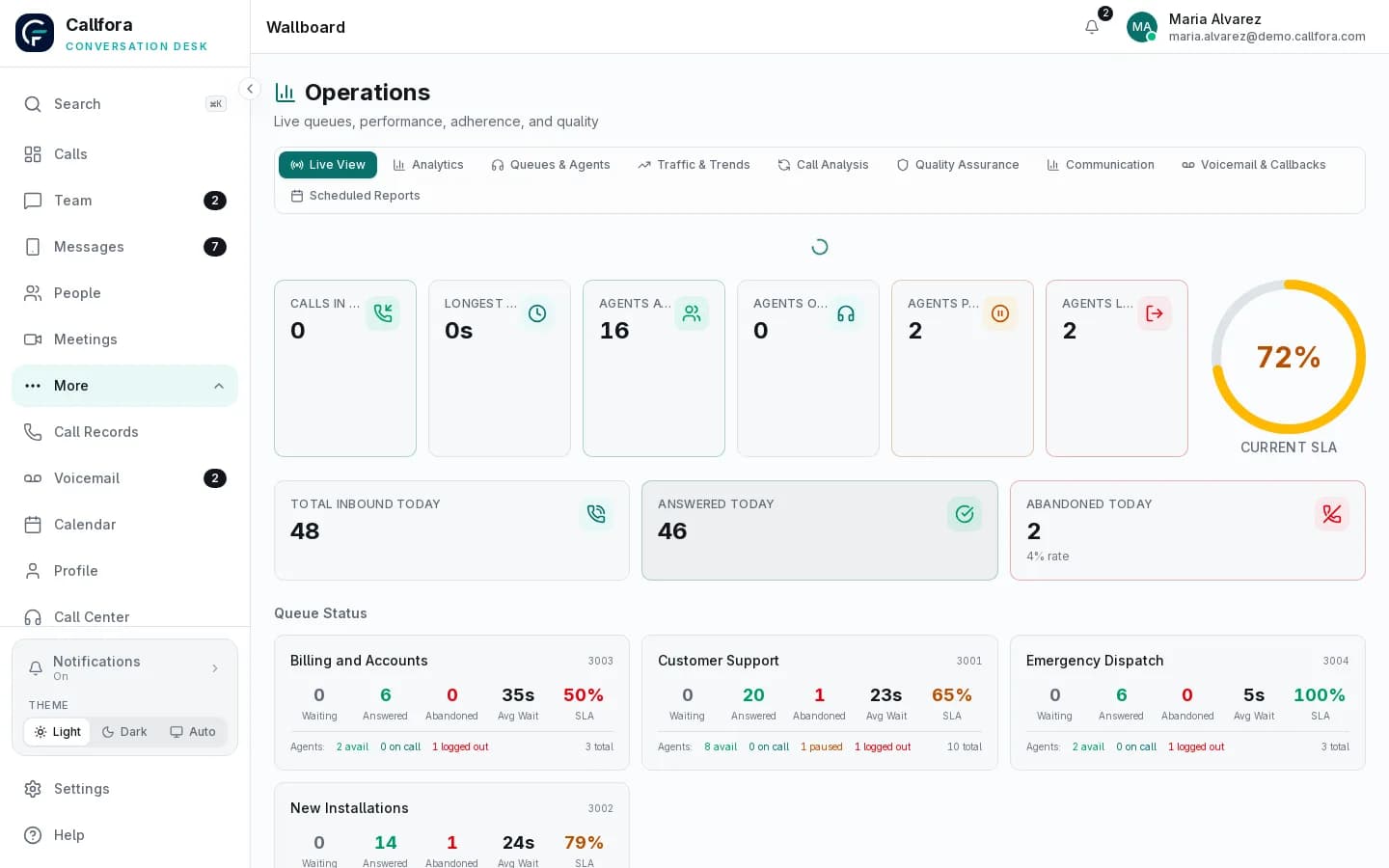
Live operations wallboard
You need to compare teams over a week, not a moment.
Review inbound, answered, abandoned, wait, handle time, and service level for the period you pick.
Configured contact-center deployments only. Availability depends on plan, modules, permissions, and deployment configuration.
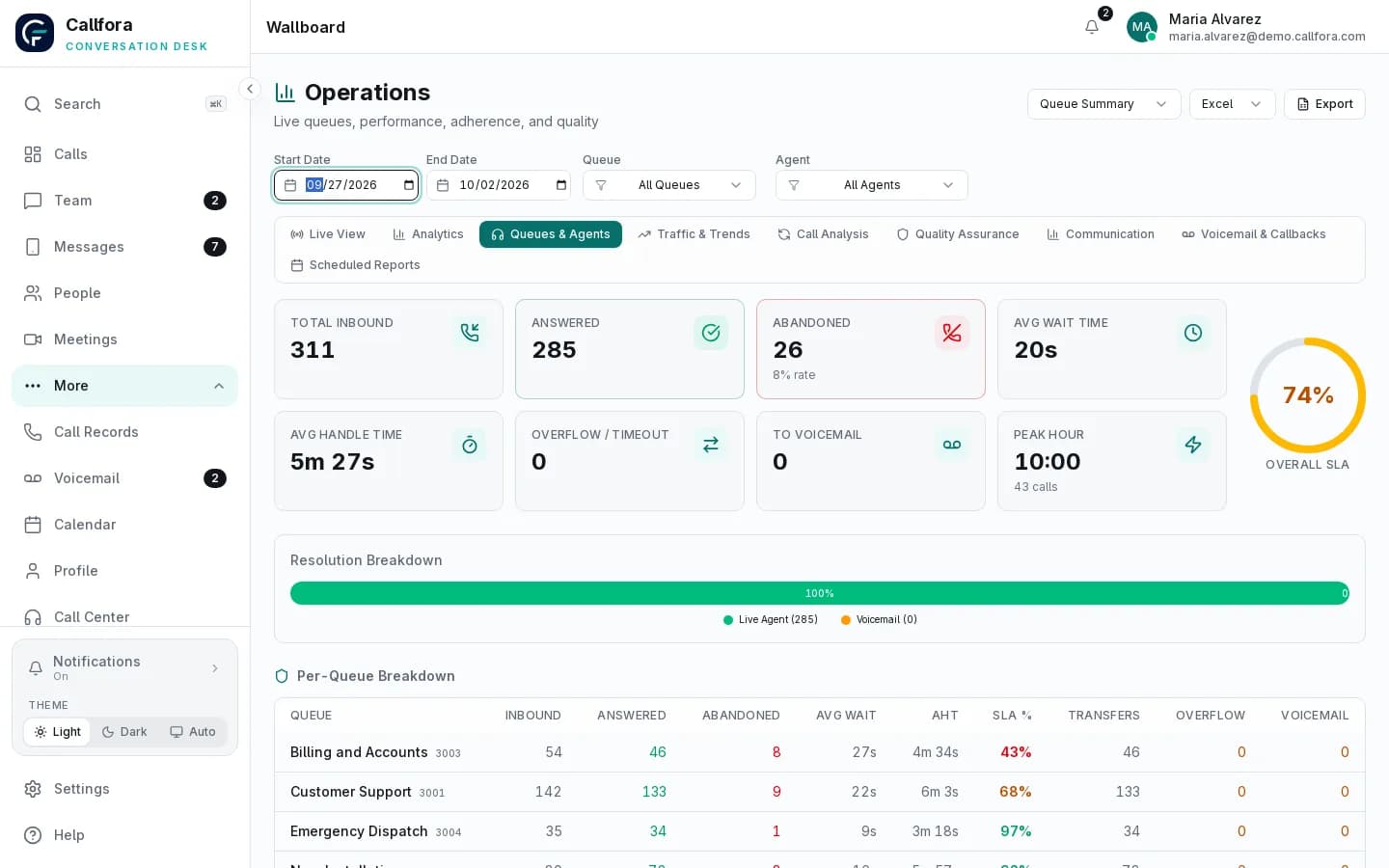
Queue and agent performance
Coverage is planned from memory instead of demand.
Traffic and trends show call demand by hour and day so you can plan shifts.
Configured contact-center deployments only. Availability depends on plan, modules, permissions, and deployment configuration.
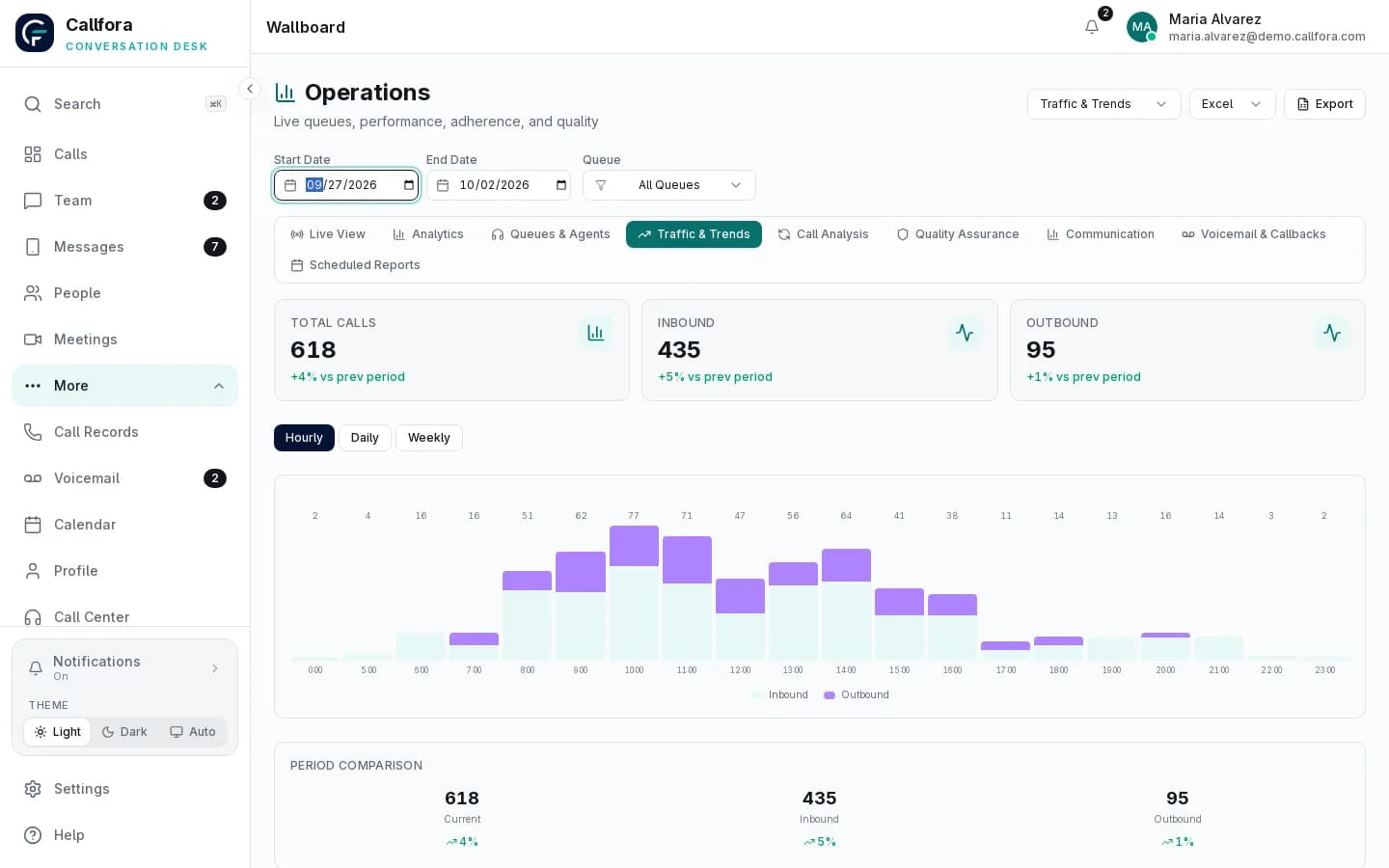
Traffic and trends
Coaching happens only when something goes wrong.
Score eligible recordings, review flagged calls, and read conversation insight when those services are enabled.
Quality scoring and conversation insight depend on recording and enabled services.
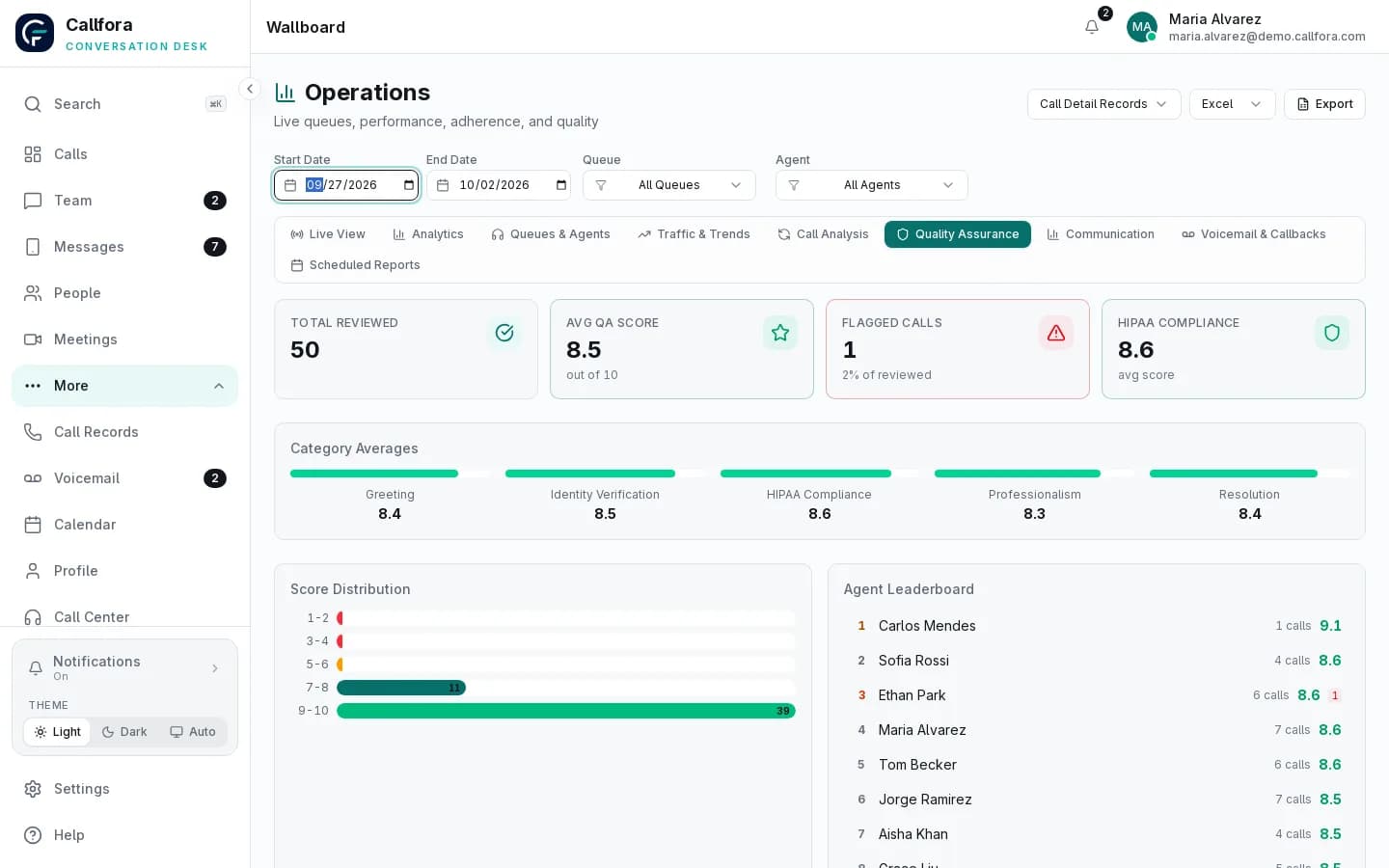
Quality assurance
You cannot see what automation handled versus what people took.
Compare queue calls answered by AI agents and by people, including minutes used and handoffs.
Available on Call Centers and Enterprise. AI usage and deployment configuration apply.
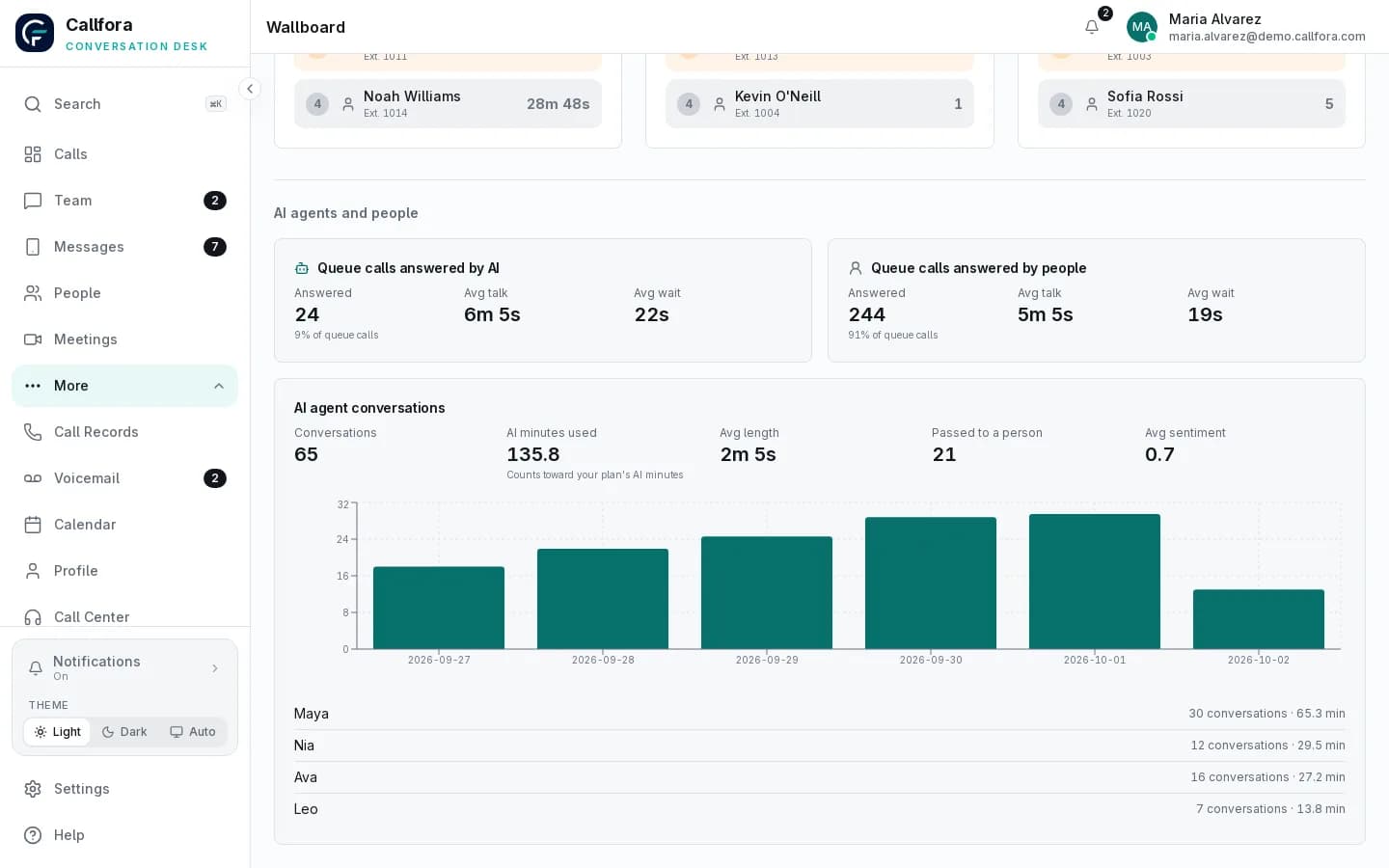
AI and human comparison
Live · 1 of 5
Live operations
The wallboard shows each queue's service level, answered and abandoned calls, and which agents are available, paused, or logged out.
Configured contact-center deployments only. Availability depends on plan, modules, permissions, and deployment configuration.
Queues and agents
Total inbound, answered, abandoned, wait and handle time, peak hour, and service level by queue, with the breakdown behind each number.
People and AI, one report
Compare queue calls answered by AI agents and by people, then follow AI conversation volume, minutes used against your plan, sentiment, and how many calls were passed to a person.
Quality and conversation insight
Score calls, review flagged conversations, and read satisfaction and prospect signals to coach agents and fix scripts, including your AI agents' instructions.
Learn more →Every view
Analytics
Active and queued calls, available agents, service level, and abandonment, updated as work arrives.
Analytics
Compare queues and individual agents, human or AI, over the period you pick.
Analytics
See demand by hour and day to plan coverage and shifts.
Analytics
Break calls down by direction, outcome, and duration.
Analytics
Score calls against criteria and review the ones flagged for attention.
Analytics
Satisfaction, conversation tone, and prospect signals from recorded conversations.
Analytics
Follow up on abandoned calls and voicemail before they become lost customers.
Analytics
Send recurring reports to the people who need them.
Call Center Queues and analytics require the Call Centers plan and deployment configuration. Quality scoring and conversation insight depend on recording and the services enabled for the workspace.
Questions
Configured contact-center deployments support a live wallboard, queue and agent performance, traffic and trends, quality scoring, conversation insight, voicemail and callback follow-up, and scheduled reports.
Yes, when AI agents are enabled. Reports can show queue share, minutes used, sentiment signals, and how many calls were passed to a person.
Call Center Queues and analytics require the Call Centers plan and deployment configuration. Quality scoring and conversation insight depend on recording and the services enabled for the workspace.
Analytics and QA
Let’s find the right way to connect your business.