
Analytics view
Live operations
Monitor active and queued work, available agents, and current service conditions.
Contact Center
Give agents a focused workspace and give operations leaders the queue, performance, adherence, disposition, QA, and reporting views needed to improve service.
Operations challenges
Each state is a real contact-center surface. Availability depends on plan, modules, permissions, and deployment configuration.
Supervisors walk the room or refresh a spreadsheet to guess who is waiting.
The live wallboard shows service level, answered and abandoned calls, and agent availability.
Configured contact-center deployments only. Availability depends on plan, modules, permissions, and deployment configuration.
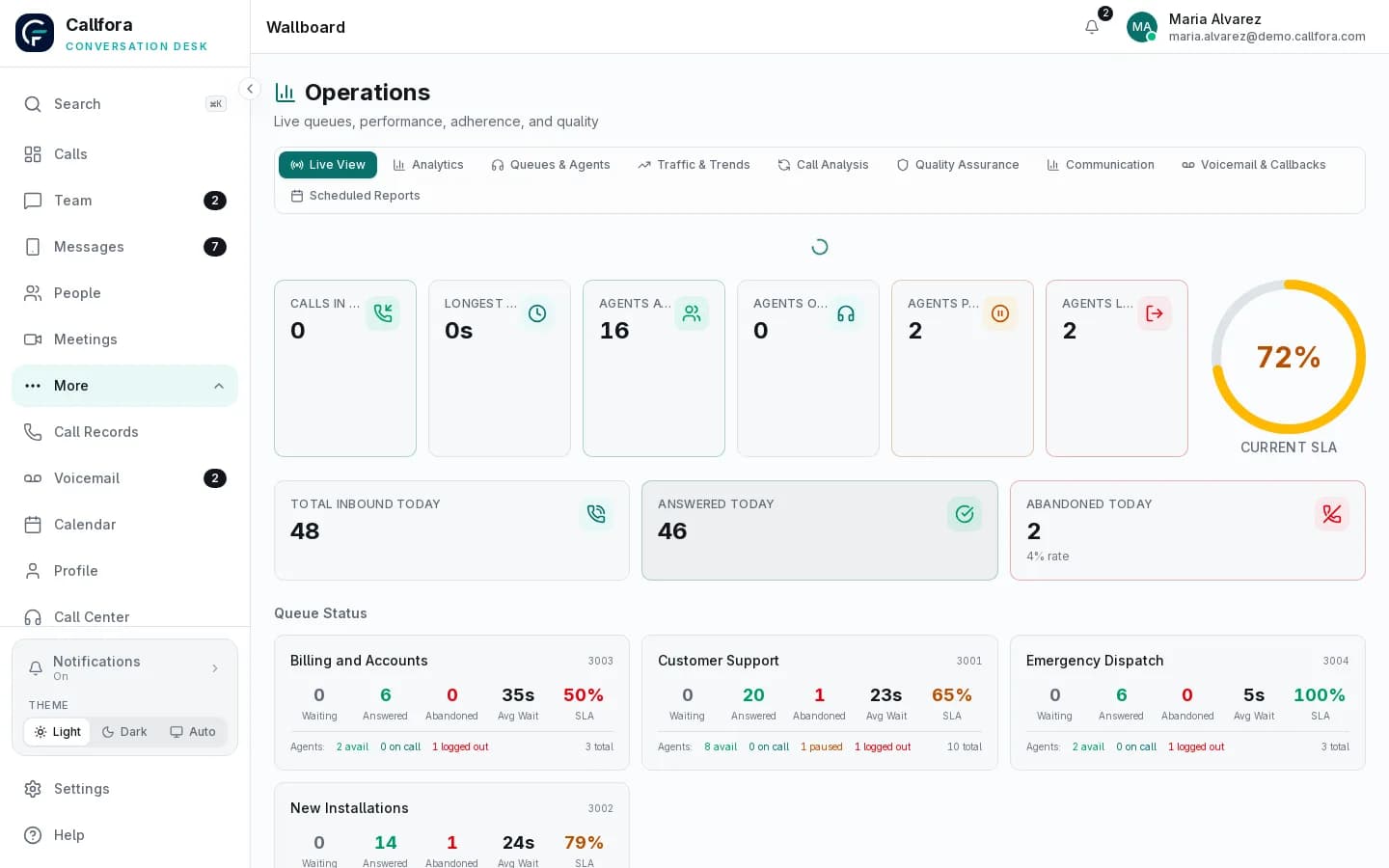
Live operations wallboard
Quality review depends on whoever remembered to listen to a recording.
Score calls, flag conversations, and use dispositions so coaching is consistent.
Quality scoring depends on recording and the services enabled for the workspace.
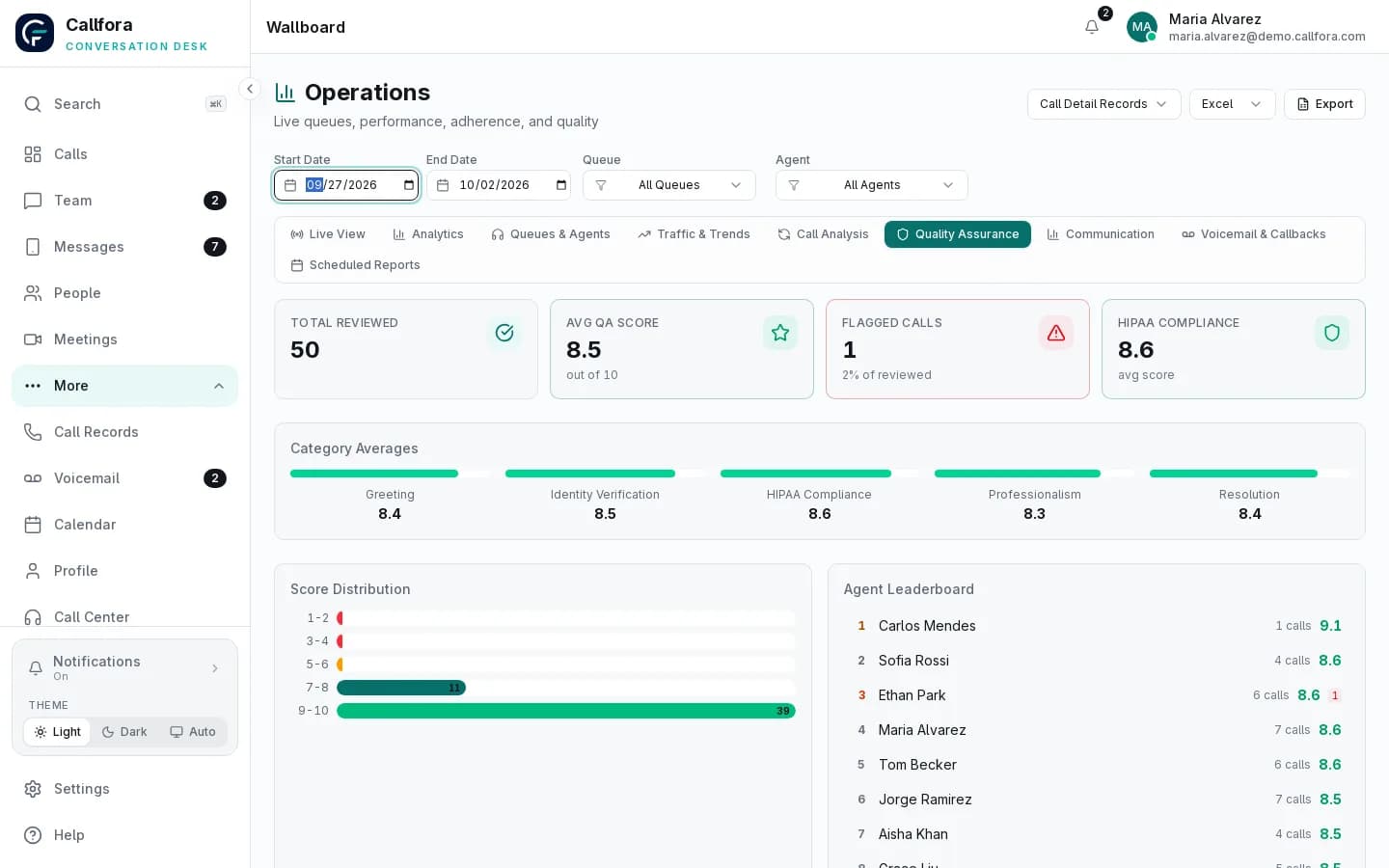
Quality assurance scoring
Changing a menu or after-hours path means a ticket to a vendor.
Administrators edit queues, IVR, ring groups, and time conditions without a separate telephony console.
Configured contact-center deployments only. Availability depends on plan, modules, permissions, and deployment configuration.
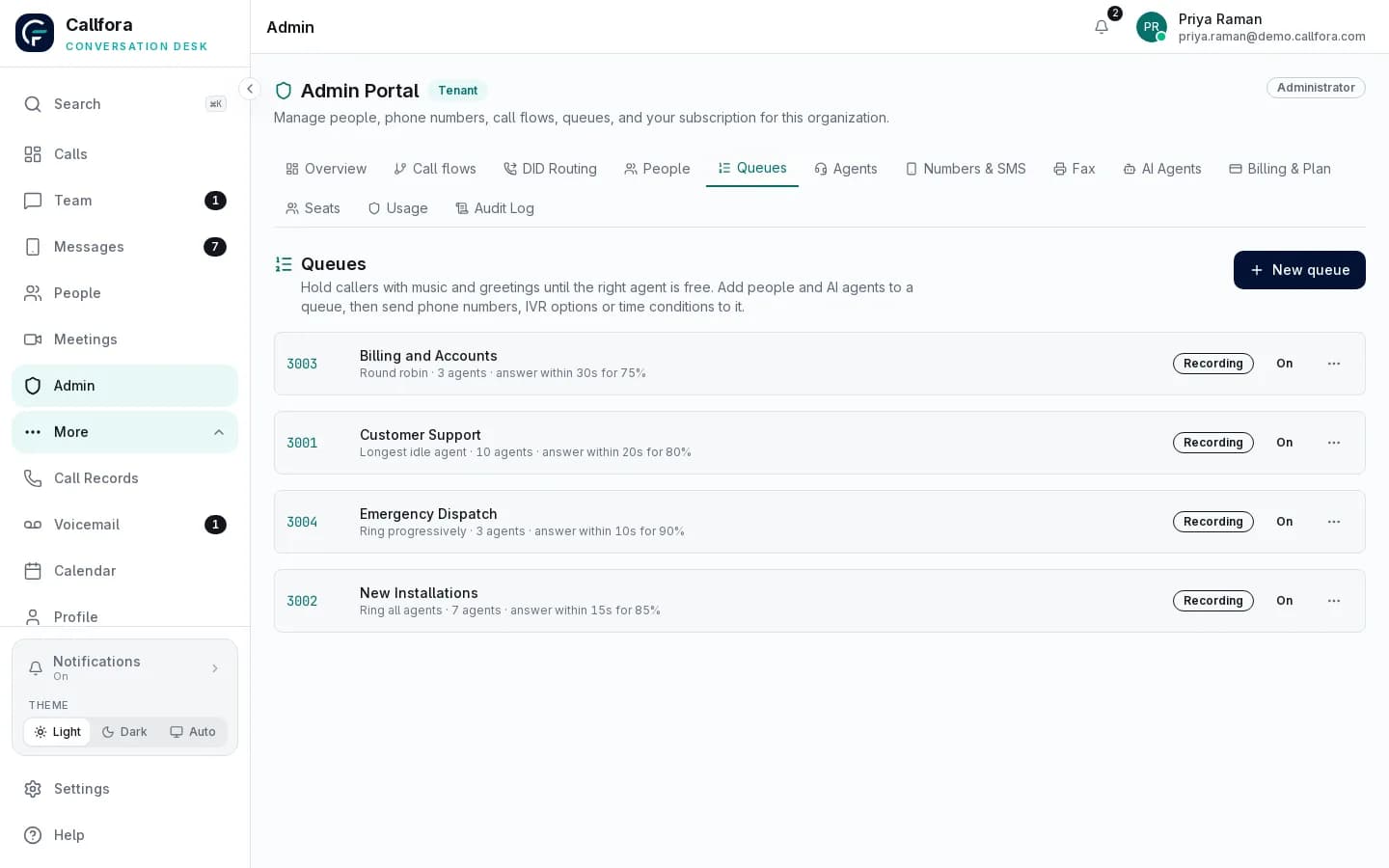
Queue administration
Cannot see the floor · 1 of 3
Agent operations
Agents can manage status, assigned queues, calls, and shifts from a dedicated workspace. Operations teams can review the live and historical picture without reducing the contact center to a single dashboard.
Contact-center modules require the Call Centers plan, deployment configuration, permissions, and supported queue infrastructure.
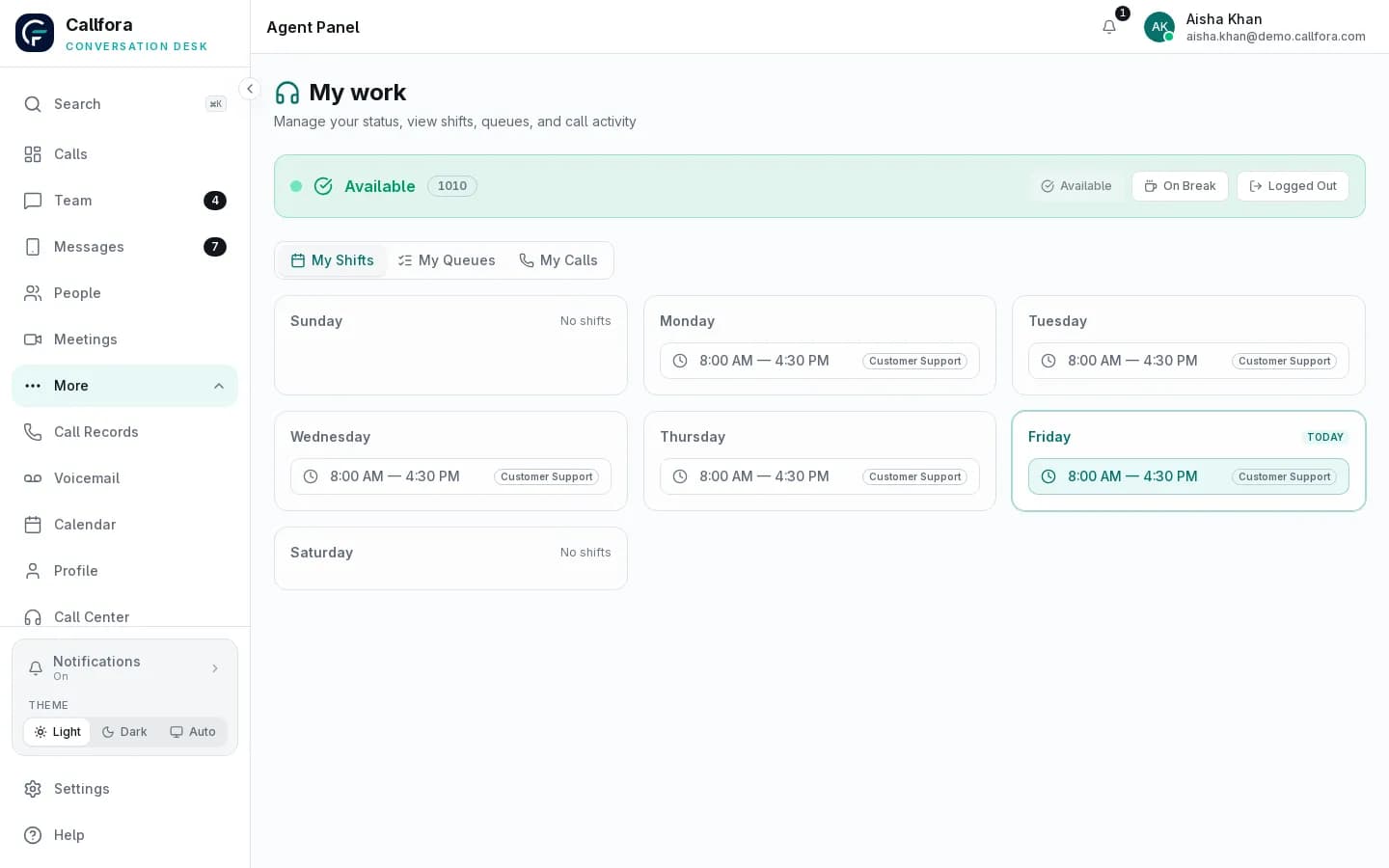
Agent workspace with sample data. Final capabilities depend on plan, modules, permissions, and deployment configuration.
Advanced analytics
Use multiple operational views to investigate demand, agent performance, outcomes, and service consistency.
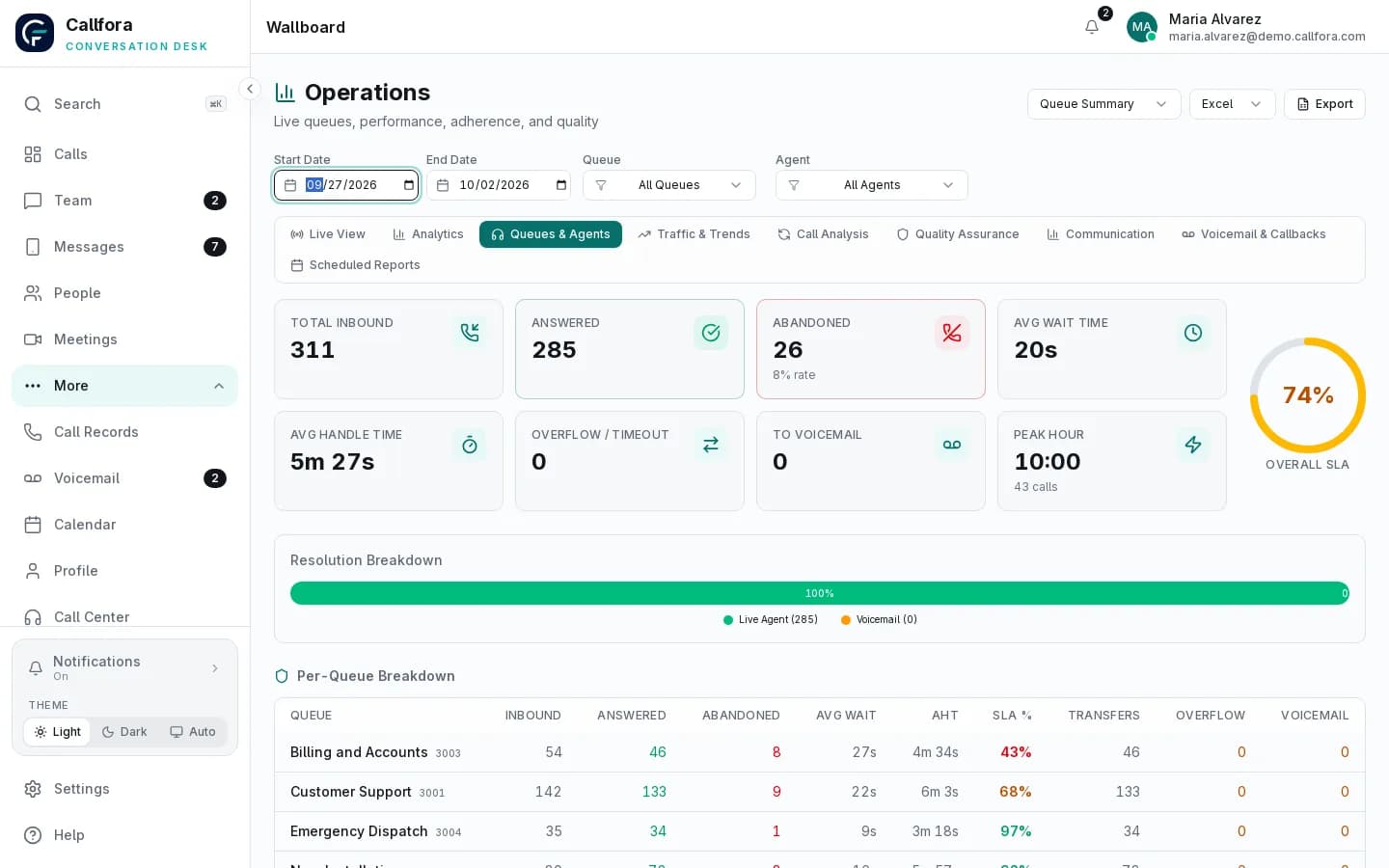
Demo workspace with sample data.
Contact-center operations
Configured capability map
Live
Queue and agent state
Performance
Queue and agent trends
Quality
Review and flagged work
Adherence
Shifts and status history
Outcomes
Disposition analysis
Reports
Export and scheduled delivery
Analytics view
Monitor active and queued work, available agents, and current service conditions.
Analytics view
Review volume, answer performance, abandonment, and handling patterns by queue.
Analytics view
Compare activity and service measures across agents and selected periods.
Analytics view
Understand inbound and outbound patterns, outcomes, and time-based demand.
Analytics view
Connect scheduled coverage and consistent outcome codes to operational review.
Analytics view
Use transcript-assisted scoring and flagged-review workflows when QA services are configured.
Queues and routing
Create queues, add human and AI agents, and route numbers, IVR options, and time conditions without a separate telephony console.
Learn more →AI agents in the queue
AI agents answer from your knowledge, book appointments, and hand off to a person. They work the same queues and show up in the same analytics as your human agents.
Learn more →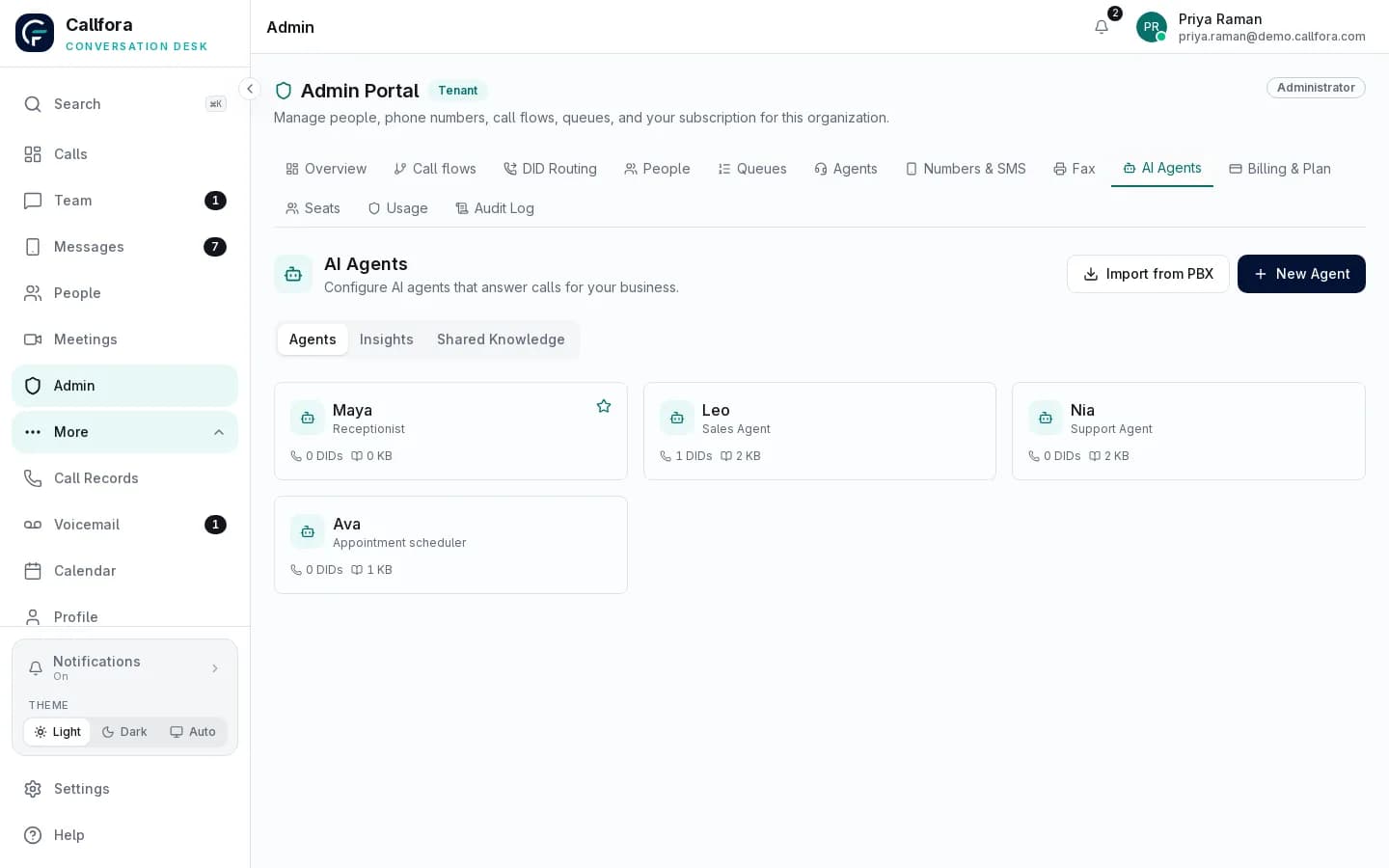
Compliance-supporting operations
Callfora provides controls and evidence that can support an organization's compliance program. Regulatory suitability depends on the configured deployment, policies, vendors, and customer responsibilities.
Capture eligible call records and recordings
Apply configured QA review
Flag results for operational follow-up
Operational boundary: AI-assisted QA requires configured transcription and AI services; scores support human review.
Define disposition codes
Apply outcomes to completed work
Review patterns by queue and team
Operational boundary: Disposition design and use remain part of the customer's operating policy.
Choose the report scope
Schedule supported delivery
Review exported operational data
Operational boundary: Report recipients, access, and downstream handling remain customer-controlled.
Industry operating models
Contact center rollout
Let’s find the right way to connect your business.